Stay in flow.
Ukemi motion showreel
PRODUCT FILM / 24 SEC
01 / SEE THE BIG PICTURE
Every change.Connected.
See the whole story of your changes.
new change
your next idea
main
workspace
@
02 / TRAVEL THROUGH TIME
A little undo.A lot of freedom.
Explore the past. Restore the moment you need.
↶ OPERATION LOG
03 / KEEP MOVING
Conflict happens.Flow continues.
Conflicts are recorded. Resolve them at your own pace.
! CONFLICTS AS DATA
04 / MAKE ROOM FOR MORE
Parallel work.One clear view.
Multiple workspaces. One view of what matters.
⌘ WORKSPACES
Ⅱ 00:00
00:24 SILENT SHOWREEL
01 Connected changes
02 Travel through time
03 Keep moving
04 Work in parallel
BUILT FOR JJ. BUILT FOR YOUR FLOW.
Local first No staging Bundled jj 7 languages
THE JUJUTSU WAY
At the speed of thought.In the flow of work.
Jujutsu’s own ideas, brought to the surface.
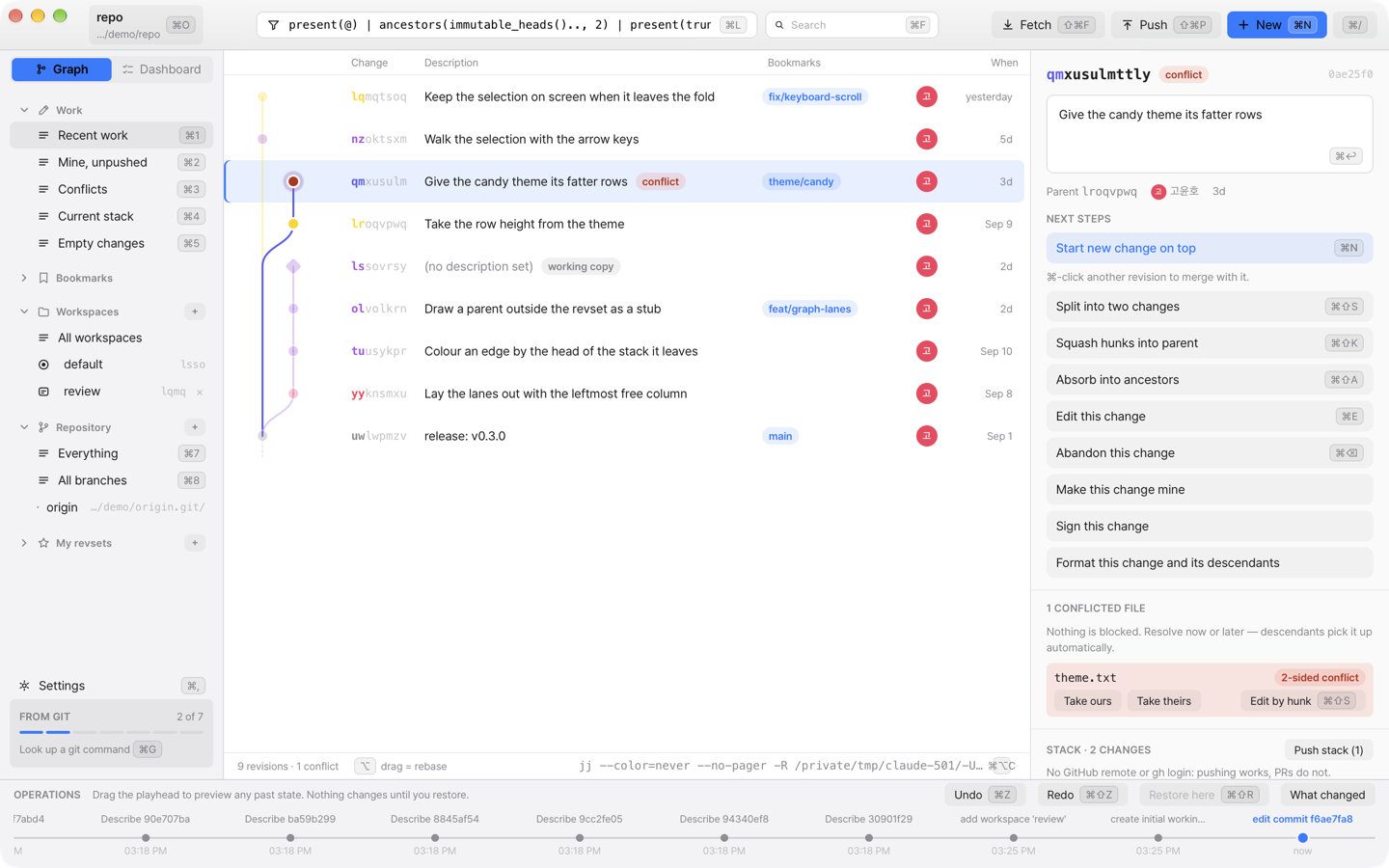
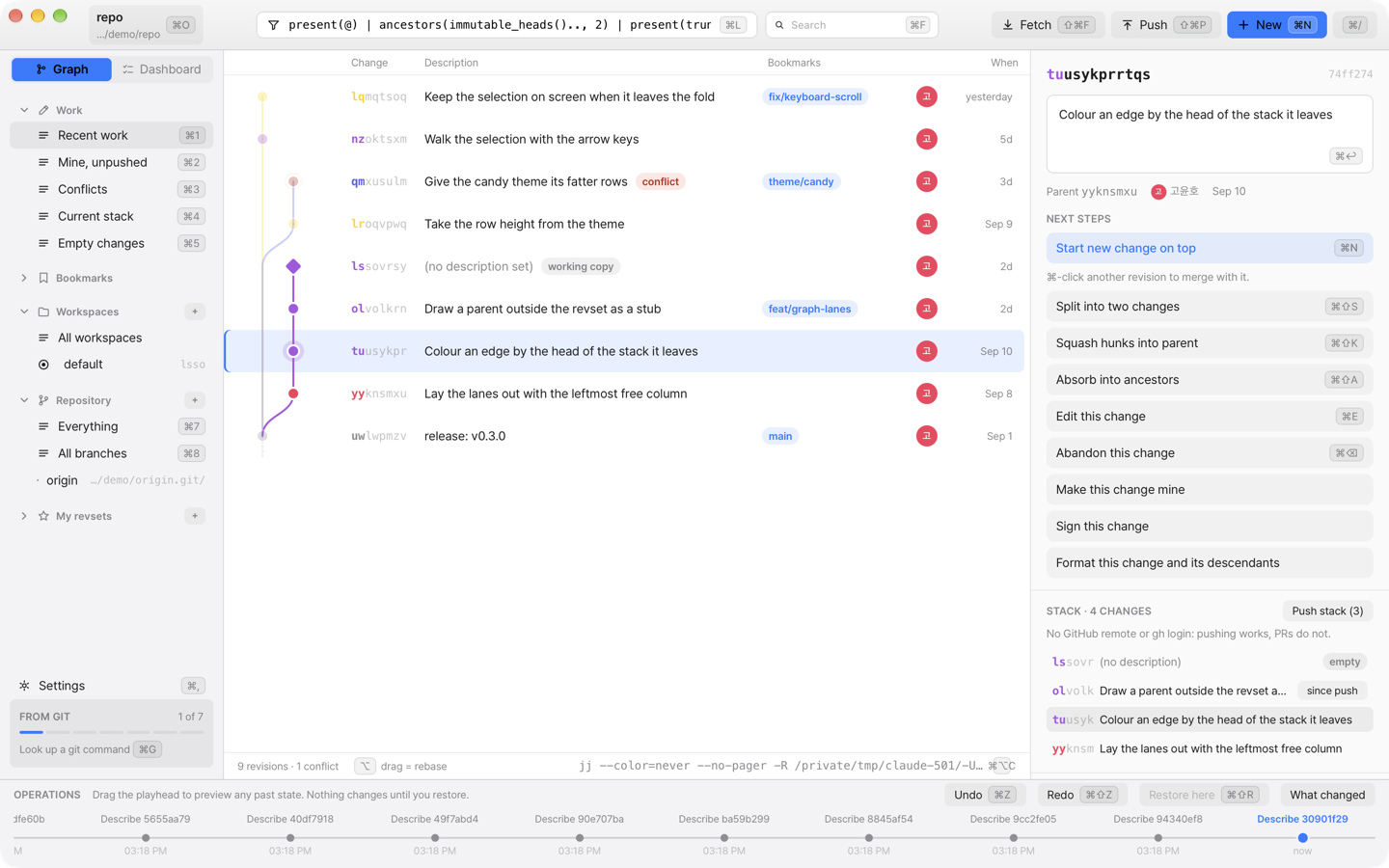
01 — CHANGE GRAPH
Your changes,
Select a commit to highlight its stack. A diamond marks your
working copy, with next steps right beside it. See where your work
belongs.
Stack highlighting Stack push · PRs
02 — OPERATION LOG
↶
The freedom to undo.
Move through the timeline to preview your repository’s past.
Review a moment before restoring it. Every experiment has a way
back.
03 — WORKING COPY
@work in progress + changes
Save it. It’s a change.
Your working copy is already a commit. Skip the staging step and
move straight from your edits to the next change.
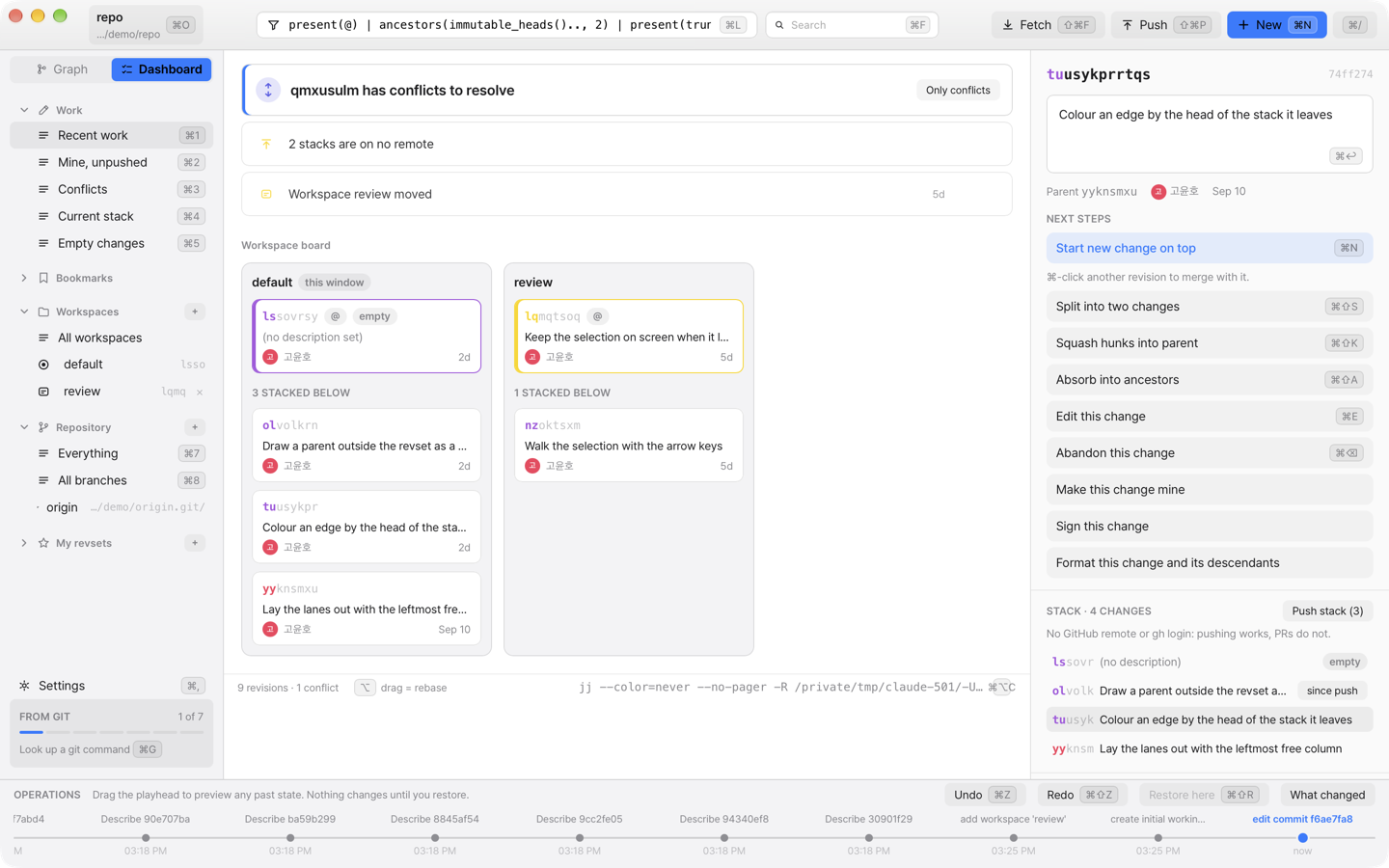
04 — PARALLEL WORKSPACES
Parallel work.
See each workspace’s stack and the items needing attention in one
dashboard. Keep an eye on parallel tasks and agents within the
same repository.
Workspace stacks Attention dashboard
Conflicts are part of the process.
A rebase finishes even when it creates a conflict. Open the marked
change, compare both sides, and resolve it in the hunk editor.
◐
Your style. Your language.
Five themes and seven languages, including English and Korean.
Keyboard shortcuts keep you in your own rhythm.
⌁
At home on your machine.
Open local repositories with bundled jj. For stacked GitHub PRs,
Ukemi uses the gh CLI and your own login.
YOUR NEXT CHANGE STARTS HERE
Ready toroll? ↘
One line in your terminal. A fresh perspective on your work.
Install with Homebrew RECOMMENDED
Paste this command into your terminal.
$ brew install --cask yoonhoGo/tap/ukemi
Copy
Before you install
The app is ad-hoc signed and is not notarized by Apple. Homebrew
removes the quarantine attribute during installation. With a
manual DMG install, you may need System Settings → Privacy &
Security → Open Anyway.
Open a repository after installing ukemi ~/work/my-repo